Jen Elswick

Web Developer and Project Manager

Menu

Skip to content
  • Home
  • About
  • Projects
  • Résumé

Faculty Bookshelf Plugin

three authors positioned alongside their respective publications
Visit the History Department’s Faculty Bookshelf page for a live demo.

Task

As part of the discovery phase of a multisite redesign, I learned that our academic programs wanted ways to more easily showcase their faculty’s scholarship and in particular, books. I designed, developed and provided documentation/training on a new Faculty Bookshelf plugin at my own initiative.

Featured Skills

  • HTML, CSS, Javascript
  • TerminalFour CMS (programmable layouts, specifically)
  • Device agnostic design
  • Compass web framework
  • UX

Functionality

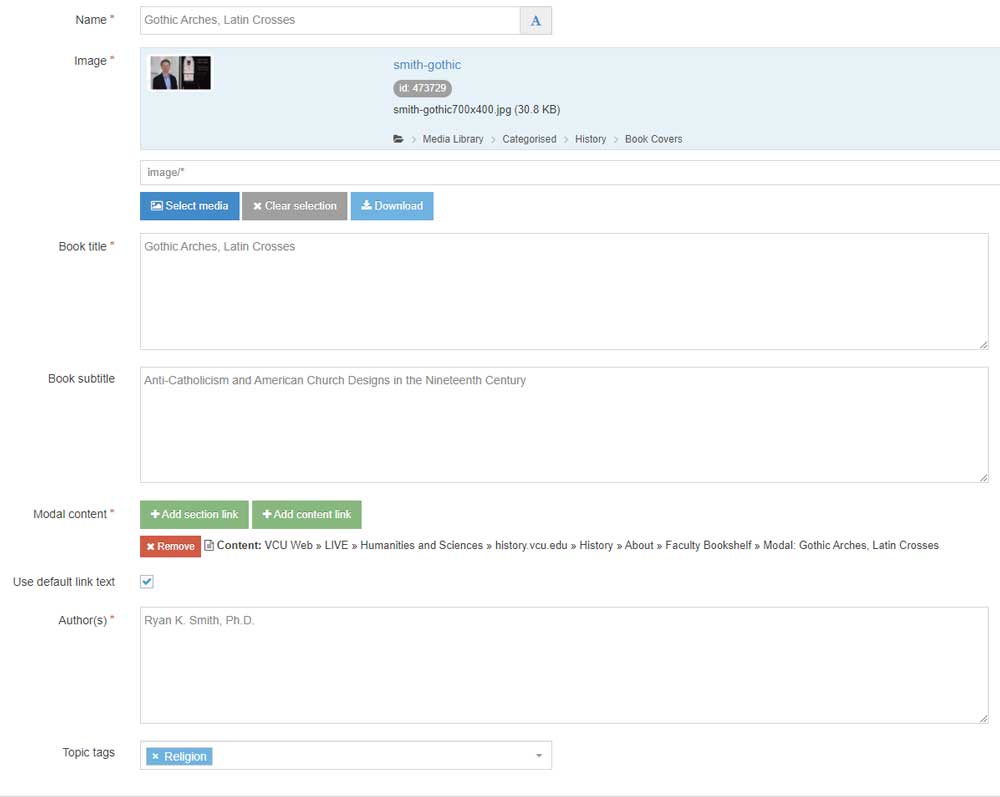
The content manager creates a graphic from a provided Canva template for the author/book cover to upload to the plugin along with the book title, subtitle, link to modal content, author and topic tag. The topic tag field is a multiselect list of predefined categories that allows users to filter by research specialty. The book title outputs as a link users can click on to see the modal content, which is a brief description of the book.

Search and Filter
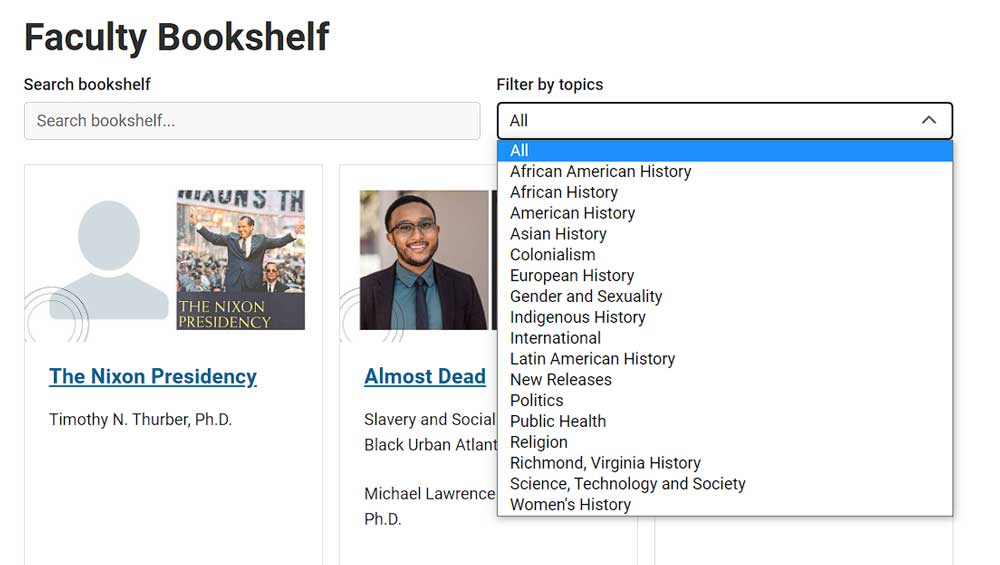
screenshot of a portion of a web page demonstrating a drop-down menu of research topics in a faculty bookshelf
I used TerminalFour’s programmable layouts to create the search and filter functionality.

Modal View

screenshot of a section of a web page describing the book 'making mice'
If a user wants more information about a book, they can click on the book title in the card to see a modal display.

Input Fields

screenshot of the input fields for the faculty bookshelf plugin

Related

Post navigation

← Annual Report
Staff Directory Plugin →
Create a website or blog at WordPress.com
  • Subscribe Subscribed
    • Jen Elswick
    • Already have a WordPress.com account? Log in now.
    • Jen Elswick
    • Subscribe Subscribed
    • Sign up
    • Log in
    • Copy shortlink
    • Report this content
    • View post in Reader
    • Manage subscriptions
    • Collapse this bar
 

Loading Comments...