rolled up paper u.s. money in several denominations

Cost Savings Through Web Efficiencies

In my experience in higher education, leadership is not generally aware of the cost savings an efficiency-minded web developer can yield; instead, web workers are generally viewed as simply the ones who make it all look pretty. It’s true that we should be able to make it look pretty, but there are significant savings to be had for organizations who invest in a quality developer with experience creating user-focused tools to help web managers get content online faster and with better quality outcomes. In my portfolio, I have several examples of tools I have created that created efficiencies and, thus, saved my organization money.

Harnessing Web Technologies

The biggest part of creating web efficiencies is simply knowing what technologies are available to you in the first place. Though this would seem obvious and expected from anyone qualified to be a web developer, it is not a given. Tech resources will vary from organization to organization and a key component of knowing what you have, especially in a large organization, is being plugged in to your web community and leadership through establishing relationships and participating in your community of practice.
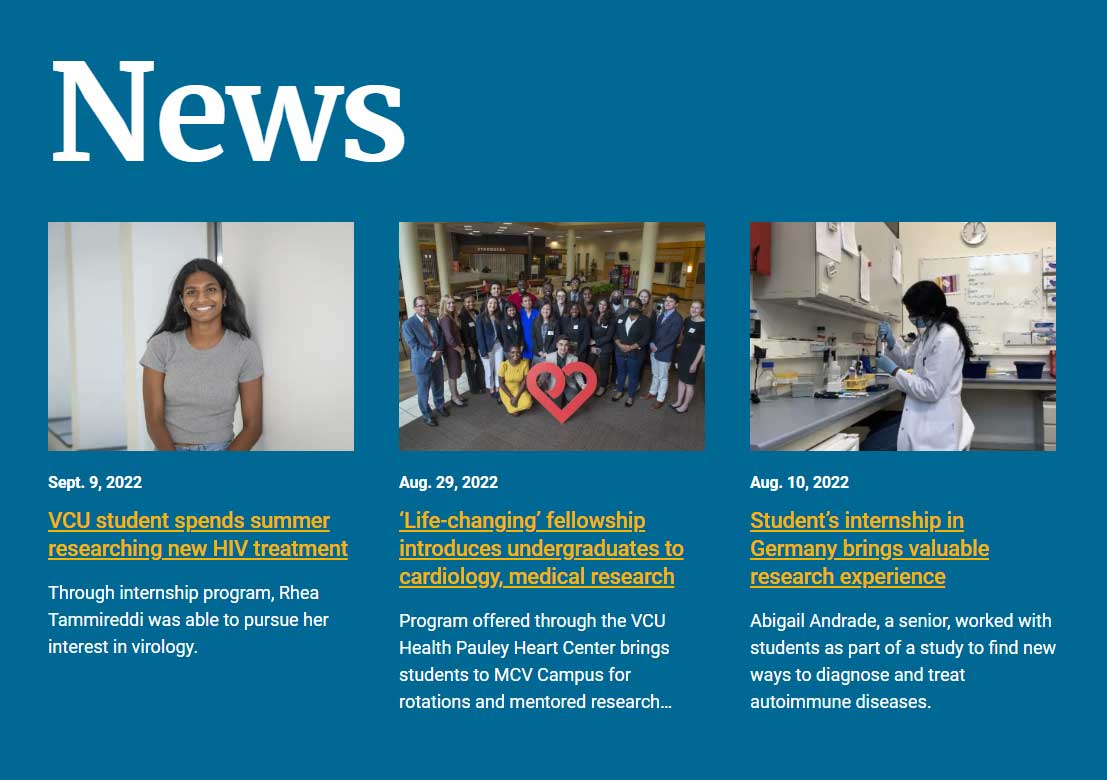
a news feed on the home page of the v.c.u. department of biology showing three articles
Homepage newsfeed from biology.vcu.edu

Because I am an active web community member, for example, I learned about the existence of a database feed from my university’s news service that was not being used to its full potential. Together with our web services leadership, I created an integrated newsfeed that solved a major web issue for our 37 websites with a process improvement that saves me alone (and therefore my employer) an estimated 70 hours per year in labor costs. In addition, the aggregate savings from the creation of the integrated newsfeed multiplies across our many other departments resulting in hundreds of labor hours saved per year among all content managers, and thus many thousands of dollars in aggregate. Furthermore, this product wasn’t only a major innovation for CHS, but also for the university and therefore has the potential to help other VCU units achieve savings, as well.

Plugin Development

Developing quality plugins that help content managers do what they need to do faster and better is a top characteristic of a great web developer, especially one who is charged with oversight of multiple web properties. A good plugin lets content managers achieve a quality display with less effort and less expertise, which translates into saved labor hours and potentially, salary savings.

My portfolio contains several examples of plugins I’ve developed that have helped content managers create great displays and yielded savings in labor costs: staff directory plugin, events plugin, news plugin, faculty bookshelf plugin.

Student recruitment is the end goal of all university web work, and higher quality web pages impart to site visitors the sense that our programs are higher quality. Giving content managers—especially those without coding expertise—the plugins to deliver quality displays means websites do a better job of competing for students.

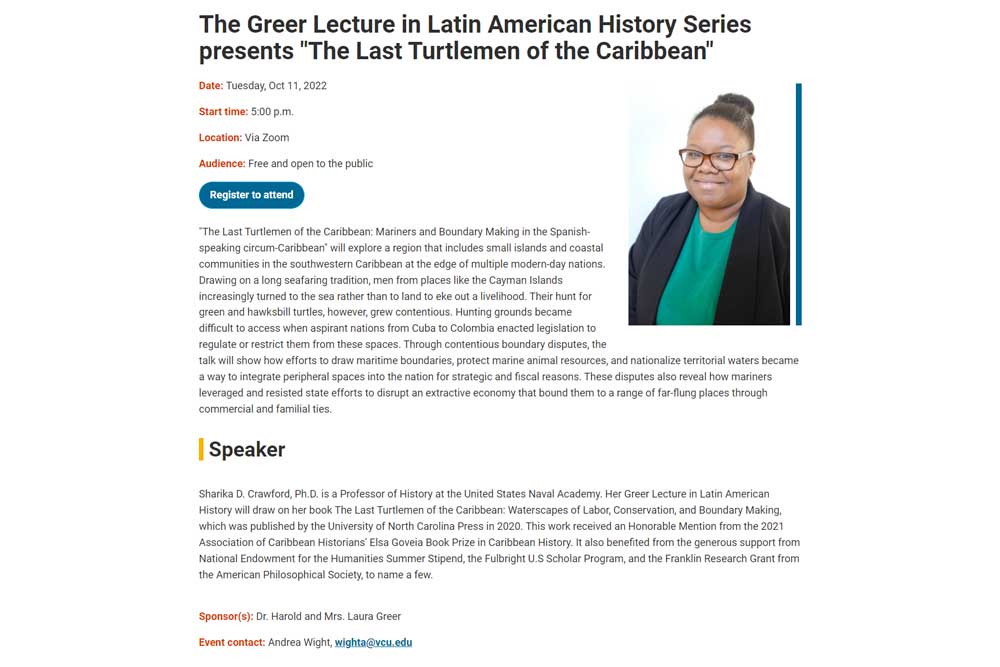
Consider the before/after example below and illustrated more in depth on the Events Plugin page. The ‘before’ image is from an event advertised on one of our sites that does not yet have the new plugin. Note the poor formatting of the text, the absence of an image to make the event more appealing/engaging, the absence of a call-to-action button that cues the visitor to register, etc. This is no reflection on the content manager—they are simply using the tool that they have and do not have experience in HTML or CSS (which they shouldn’t have to have in the first place) to get the display they want. It is up to me to help them do their job better. The ‘after’ image shows what is possible when a content manager has an easy, well-designed plugin with the right fields (date, start time, contact, etc.) and options for uploading media, URLs, etc. that allows them to simply “plug in” the information and out comes a much improved display!

Full Text Before

a web page screenshot advertising an event in the department of forensic science at virginia commonwealth university
Click image to see full screenshot.

Full Text After

a web page screenshot advertising an event in the department of history at virginia commonwealth university
Click image to see full screenshot.

It would be irresponsible to try and guess at a dollar amount a better quality website can yield in terms of increasing student enrollment. It is something we know intuitively—that a well-organized site with an appealing display is indicative of the organization it represents and thus potentially worthy of our investment—but it is too entangled with a host of other individual, group and systemic factors to tease out an exact value. Still, there IS a dollar value there somewhere. That fact, coupled with the potential labor (and ‘maybe’ salary) savings, means having a web developer who can produce high efficiency plugins and leverage available web technologies is an important piece in a forward-thinking organization’s fiscal strategy.


person using laptop

Web Education

Of Others

As the overseer of so many web properties, it would be a fool’s errand to think I could take all web tasks on myself. I learned early on I would need to focus on providing department-based content managers with the tools, guidance and resources to empower them to succeed. Here is a sampling of what I provide in the educational/support realm:

  • Weekly office hours for one-on-one support
  • Full wiki documentation with web policies, plugin documentation, procedures, forms, timelines, expectations and a vast array of resources on accessibility, image optimization and everything else web-related imaginable
  • Onboarding for new content managers that includes a weekly meeting for 4-6 weeks to introduce basic web concepts, go over the site they are managing and complete a web project together
  • An annual site report for content managers that walks them through important content updates, compliance matters and other tasks that need to be completed and managed annually
  • Quarterly one-on-one check-ins with each site manager to go over their sites’ quality assurance and accessibility reports and to help with any other issues they are having
  • Workshops throughout the semester on specific topics (e.g., a ‘site slimdown’ workshop is one where we work together for an hour getting rid of old content from our sites)
  • Listserv for content managers where I send regular tips and resources and where they can ask questions of the group
  • A web-based site guide for each content manager with how-tos, page-specific instructions and resources for managing their site

Of Self

It’s so easy to get overwhelmed by all the things you don’t know when it comes to being a web professional, simply because it is a field one can never fully master. As such, I, like other web colleagues, rely on quality resources such as MDN, W3C and countless other sites and applications to inform web work daily. And since there is so much out there to learn (all of which, by the way, changes constantly as the web evolves), I have found it takes discipline, accountability and patience to plan and pursue the learning that will be most impactful for my work.

Accountability

Speaking of accountability, I’m big on it and it’s because I know I need it when it comes to learning. It’s always tempting to push professional development to the backburner when there are deadlines and other encroaching priorities. To ensure I keep learning and development as top priorities, I:

  • Asked that my supervisor designate a portion of my job description to learning endeavors so that I am evaluated yearly on their completion
  • Founded and currently lead a web learning accountability group that meets weekly made up of other web colleagues from around the university

Specific Endeavors

  • My organization sponsors an annual membership for me with Codecademy, which I use for coding practice to make sure my CSS and Javascript skills, in particular, remain sharp.
  • I attend the yearly HighEdWeb conference, an essential offering for web professionals in higher education in particular.
  • I am a member of the College Communicators Association of Virginia and D.C. and attend 1-2 of their conferences per year, another way to keep abreast of trends in higher education web matters and collaborate with colleagues from other Virginia universities.
  • Though he recently left my organization, I sought out and worked with a web mentor for the last four years. His perspective and generous sharing has been critical to my success in managing such a large portfolio of web properties in an atmosphere of low resources.
  • I provide mentorship and sharing to other community members at my organization, as well. I am contacted often and I love to share what I know with others!
  • I participate as an active member of my organization’s Communications Career Community, an internal community of practice of communications professionals. I regularly attend offerings such as workshops and contribute to their newsletter.
close up photography of yellow green red and brown plastic cones on white lined surface

Web Governance and Structural Supports

An organization pays out the nose to a designer to get a gorgeous website with all the bells and whistles. It launches to great acclaim.

Day 1 post-launch comes. Does the organization have the structural supports and processes in place to support what will be needed over time to keep the site healthy, usable, compliant and effective for the audiences it’s trying to reach? Did leadership even know to ask that question?

Admittedly, it’s not a fun question and a bit of a killjoy to ask when people are energized and excited in early planning about the bells and whistles.

Still… somebody has to be the grounding voice in the room during such discussions.

It’s possible as a web professional to effectively walk the line between promoting excitement for a new product AND keeping leaders grounded in the need for the necessary internal structural supports and processes. 99% of the time leaders simply do not know what is needed for the longterm success of a website and too many times, web professionals are hesitant to speak up (higher education, as with other industries, can have a rigid pecking order).

I see it as my responsibility to draw on my experience and provide the data that gives leaders the information they need to make informed decisions about such large expenditures while keeping that excitement for a new product. It’s possible to do!

In my current role, I took the first several months on the job to build structures and processes for a full web support system from the ground up for a unit that supported almost 37 websites (largest number at VCU for any one unit). This was a difficult sell as a priority at a time when their web properties were in significant need of aesthetic attention and badly out of compliance with WCAG standards. Despite this reality, it was necessary to take a step back to make sure the architecture for web success was in place. I was able to successfully convince leadership of the need to build atop a firm foundation rather than the shifting sands on which their operations were shakily existing at the time. As a result, I have been able to deliver consistent web service to all CHS entities in an efficient and timely manner. Furthermore, because the boundaries of service are thoughtfully designed and based in data and resource availability, clients understand and appreciate the level of service I can provide because expectations are clear.

Below are some of the tools I used to build this structure.

  • Atlassian wiki documentation accessible to all content managers, faculty and staff with full details on
    • Services provided and not provided
    • Definitions
    • Web policies
    • Expectations (roles and responsibilities)
    • Onboarding web managers
    • Resources for effective site management (e.g., accessibility, image optimization, etc.)
    • How-to guides for custom plugins and other common web tasks
    • Project timelines
    • And more!
  • SiteImprove for tracking and managing quality assurance, accessibility and sending monthly reports to content managers
  • Kaltura Capture and Awesome Screenshot for screencasting (a tool used in how-to tutorials for the web) and screen captures
  • Google Forms for managing web requests, intake of annual site reports, etc.
  • Cherwell ticketing system for handling web requests from the broader university community
  • Trello for managing large projects and collaborating with others
  • Slack for communication and collaboration with others in the university community
  • Bitbucket for managing code base